“AI tracking” on a datasheet can mean anything from “draws a box around things it recognises” to “holds a specific object for a full battery while the aircraft manoeuvres”. Those aren’t the same product, and the price isn’t the same either.
This article is the buyer’s half of that conversation: which functions actually exist, how to write them into a specification, and how to test whether a supplier’s demonstration means what it appears to mean.
If you want the engineering side first, how the detection and tracking loop is built and why the computing sits on the payload, that’s covered in AI camera tracking. What follows assumes the loop works and asks the harder commercial question: how do you tell which one is worth buying?
What “AI tracking” actually covers
The label hides four different functions
Almost every capability called AI tracking in this industry is one of four things, or a combination of them:
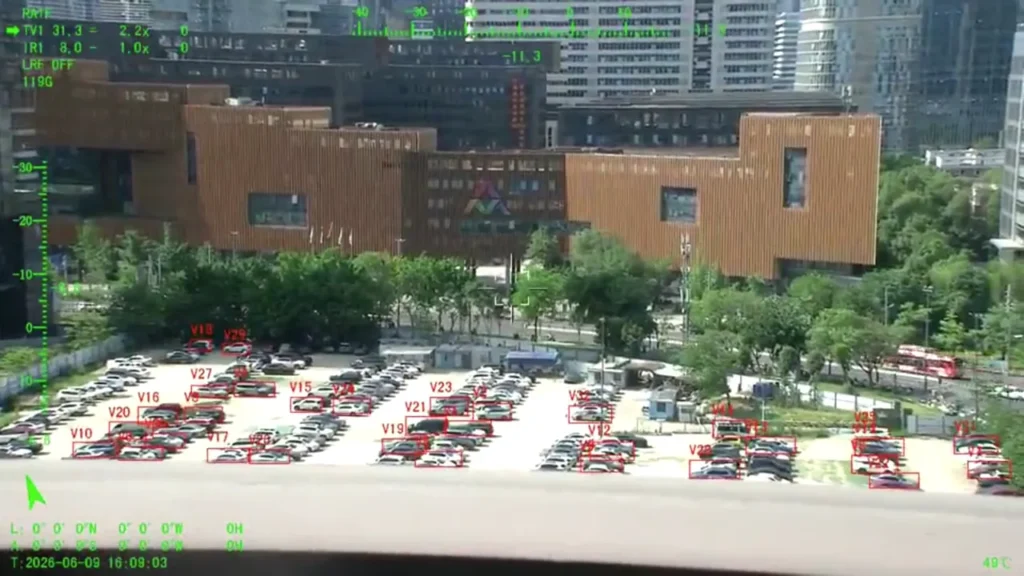
- Detection – finding something in the frame. The output is a location, usually a box, often with a confidence score.
- Classification – putting a label on what was found. Vehicle, vessel, person, aircraft.
- Recognition – a narrower judgement inside a category. A particular equipment type, or a posture, or an event.
- Tracking – keeping hold of one specific object across frames, so the thing in the box at frame 900 is the same thing that was in the box at frame 1.
They’re related, they’re often quoted as one phrase, and they’re paid for separately. A payload that detects vehicles reliably tells you nothing about whether it will hold a track on one for a minute. A payload that holds a track beautifully may have no classifier at all.
Why this matters more here than in other camera markets
In fixed surveillance, the camera doesn’t move and the scene doesn’t change much. On a UAV, both are moving, the apparent size of the target changes with every zoom adjustment, and the image degrades for atmospheric reasons beyond anyone’s control. Every one of those makes tracking a harder problem than detection, and most of the industry’s marketing language was written for the easier problem.
What the payload adds on top of the camera
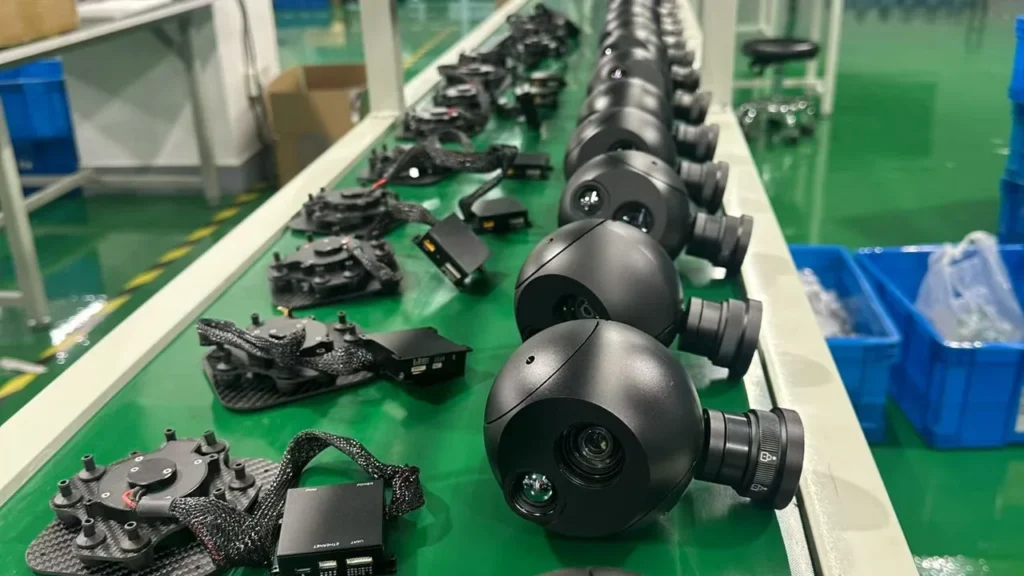
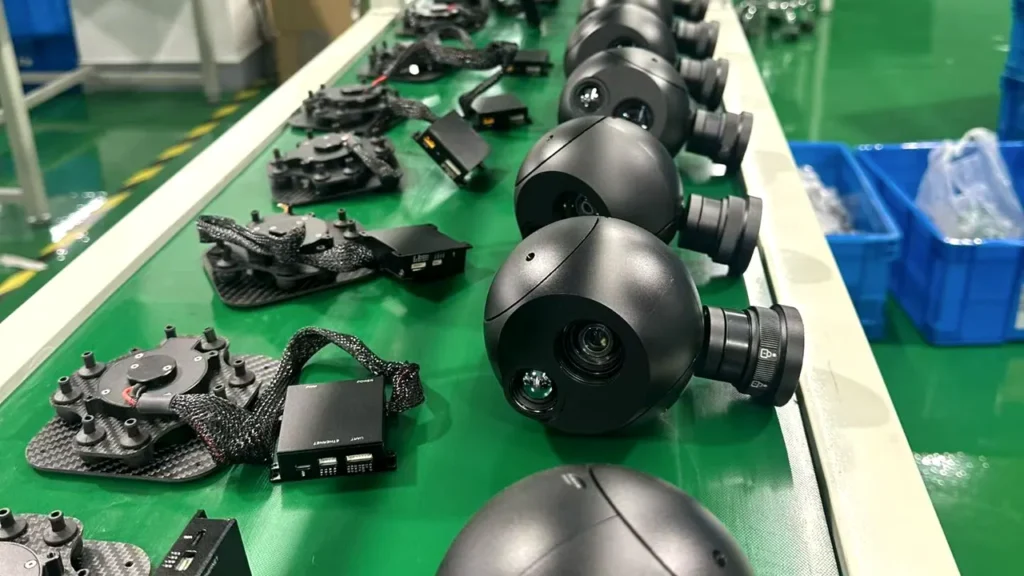
An AI-enabled payload is a stabilised camera plus a processor, a model, and a control path. It still needs optics, mechanical stability, power and interfaces. It still has to survive the airframe. What changes is that some of the processing that used to happen in the ground station or after the flight now happens before the video is compressed. That changes both what you can build and what you’re locked into.
Four functions, four different tests
The verification question behind each one
A supplier claiming “AI recognition and tracking” should be able to tell you which of these functions the model actually performs, and how each was measured. They aren’t interchangeable, and neither are the tests that establish them.
| Function | What it produces | What to verify before buying |
|---|---|---|
| Detection | Locations of objects in the frame | Precision, recall, and the list of classes actually supported |
| Classification | A category label on a detection | Accuracy per class, and which classes get confused with which |
| Recognition | A narrower identification inside a class | The exact scope of the recognition, and the conditions it was tested under |
| Tracking | Continuity of one object across frames | Interruptions, identity switches, and what happens after reacquisition |
| Video analytics | Events, counts or reports | Event accuracy, where the output appears, and total delay |

Detection is the easy one to demonstrate
Detection is the most visually convincing of the four, which is exactly why it dominates demonstration videos. Boxes appear, they track the object approximately, the audience is impressed. What a demonstration of detection doesn’t establish is whether the payload can hold an identity on one object while others pass nearby, or what happens when the object disappears behind a tree for two seconds.
Tracking is where the real questions are
Tracking is the function that decides whether the payload is useful to an operator, and it’s the one hardest to fake. The useful questions are unglamorous: how often does the track drop, how long does it take to come back, and how often does the payload quietly start tracking the wrong object.
The honest answer from any supplier will be a conditional one, because performance depends on how the tracker is built. Some methods associate detections between frames, others use the visual appearance of the object, and the two fail in different ways. NVIDIA’s tracker documentation is a useful primer on why that distinction exists and how the methods differ [1]. No supplier should be able to describe their tracker without it.
And recognition is a claim about scope, not accuracy
Recognition is where projects get into trouble: a model trained to recognise a class of equipment isn’t a model that inspects it. If your deliverable is “a photograph showing the corrosion pattern on a fitting”, no amount of vehicle recognition gets you there. Ask what the model was trained on, what it was tested against, and what it does when it sees something it was never trained on.
Where the AI runs changes what you can buy
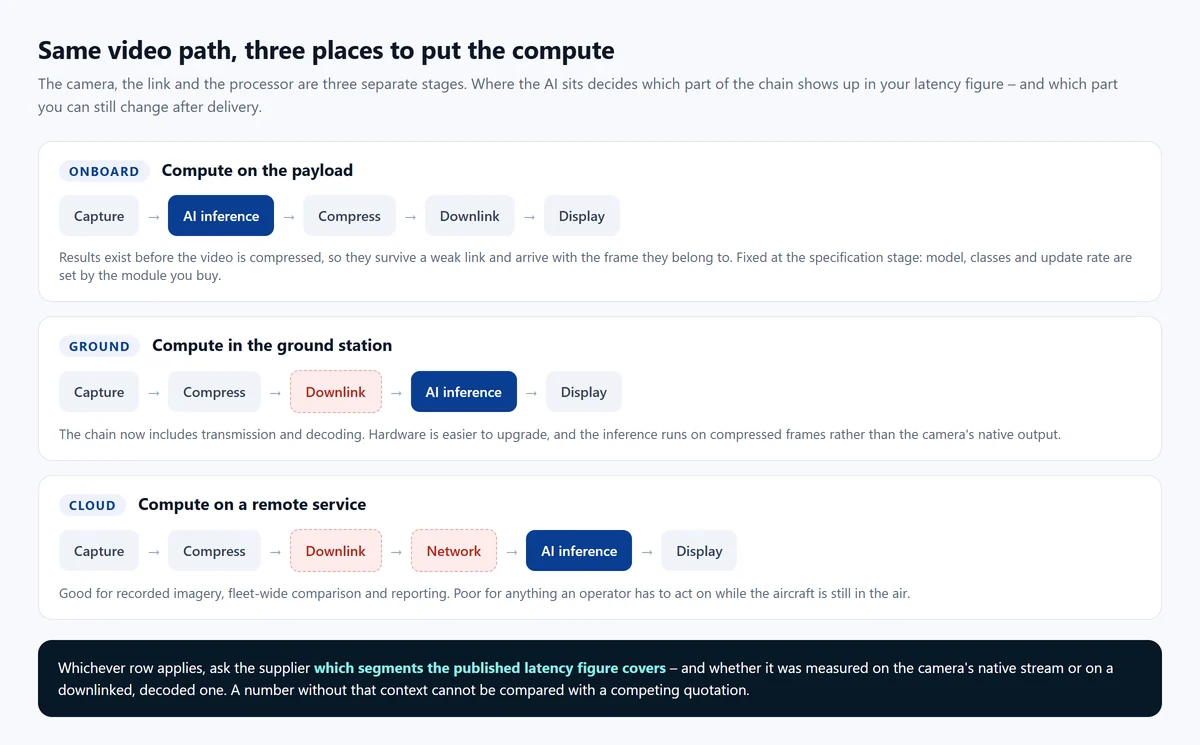
The single most consequential question about an AI payload is not which model it runs. It’s where the inference happens, because that decides what the latency figure includes, what survives a weak data link, and who can change the model after delivery.
The detailed engineering trade-off between onboard, ground and cloud processing is a subject in its own right, and we’ve covered it separately in onboard AI or cloud AI in a camera payload. For this article, the part that matters is commercial: each architecture produces a different product, with a different upgrade path.
Compute on the payload
Results are produced before the video is compressed, so they arrive attached to the frame they belong to, and they keep arriving when the data link degrades. The cost is that the model, the classes and the update rate are fixed by the module you buy. Ask what can be changed in the field and what has to go back to the factory, and get the answer in writing, because it’s the part of an AI payload that’s hardest to change later.
Compute in the ground station
This moves the upgrade path to the part of the system you already own and can replace. It also adds transmission and decoding to the delay, and the inference now runs on compressed frames rather than the camera’s native output, which is a real difference in input quality, and one that rarely gets mentioned.
Compute somewhere remote
Cloud processing is excellent for recorded imagery, fleet-wide comparison and reporting, and poor for anything an operator has to act on while the aircraft is still in the air. It also brings data-transfer, retention and access questions that belong in the procurement conversation, not after it.
The question that separates the three: ask the supplier whether AI results are produced independently of the video link. If the answer is yes, the payload is doing the work. If it depends on the link being up, you’ve bought a ground-based system with the camera attached, and the delay figure you were quoted probably doesn’t describe it.
Why image quality decides more than the model
Computer vision inherits every optical problem
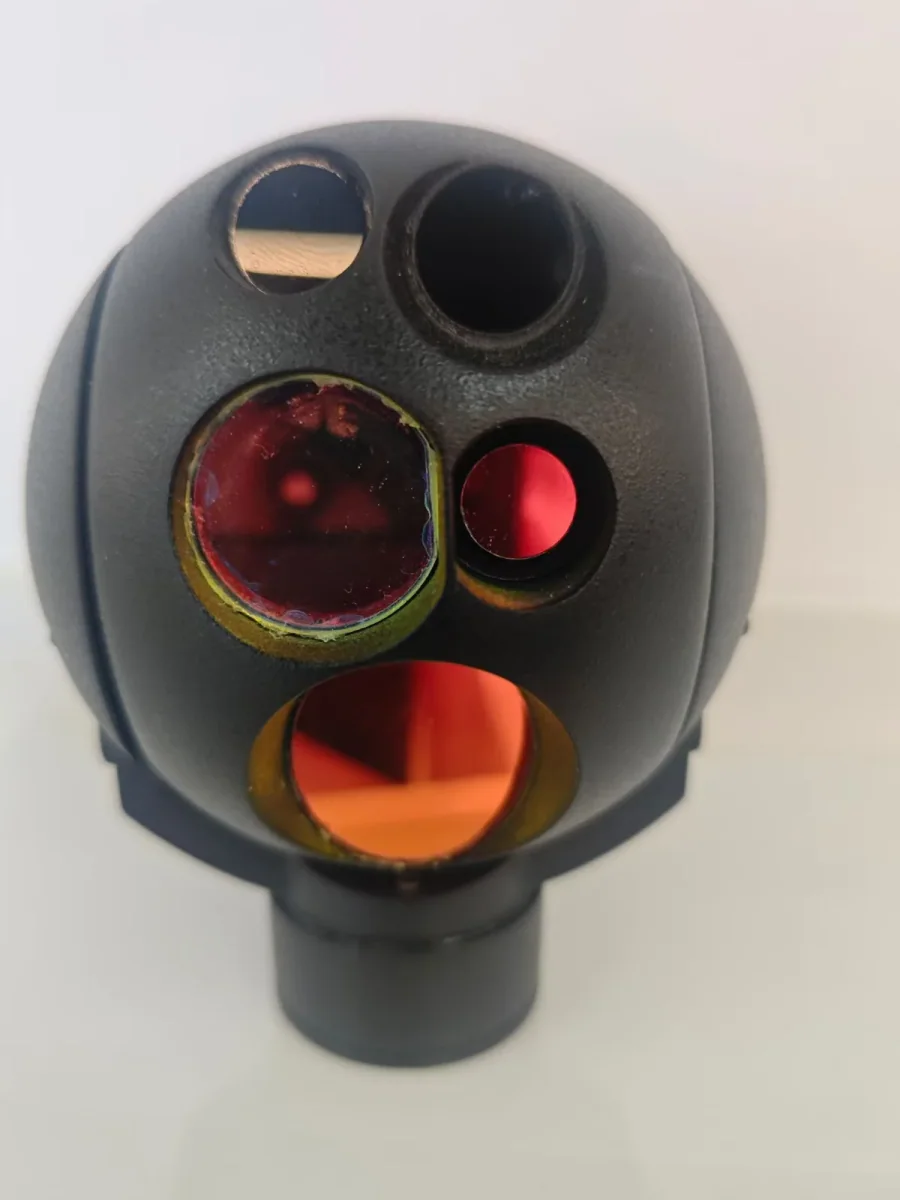
A model can only work with the pixels it is handed. Blur, low contrast, compression artefacts and unstable framing all reduce the information available, and a better model can’t recover detail that was never captured. This is why a payload’s stabilisation, optics and video pipeline matter as much to AI performance as the processor does, and why evaluating a model on clean laboratory footage tells you very little about how it’ll behave on your aircraft.
Stabilisation helps here in a specific way: it keeps the visual features the tracker depends on in roughly the same place from frame to frame, instead of letting a 30x zoom turn every gust into a scene change. Our own heads hold line-of-sight accuracy to 100 microradians or better, and on a long lens that number is doing as much for the tracker as the inference rate is [7]. If the mount side of the decision is still open, two-axis vs three-axis covers what each design actually holds.
Motion, zoom and the tracker
Two things move in this system: the aircraft and the gimbal. Rapid camera movement changes the apparent size and position of objects between frames, and a zoom change alters the target’s scale abruptly. Both are legitimate reasons why a tracker that performs well in a demonstration may behave differently in a real mission.
Some payloads close the loop between tracking and the gimbal controller, so that the tracked position feeds the line of sight and the camera follows the object rather than the operator chasing it. That requires coordination between the image processing, the camera control and the gimbal motion – and it’s worth asking explicitly, because “AI tracking” and “tracking that steers the gimbal” are two different products.
MAVLink’s gimbal protocol provides a framework for managing gimbal orientation and control sources [2], and the camera protocol covers discovery and camera control [3]. Useful as those are, support for the protocol doesn’t prove that a camera provides AI tracking, or that AI results are wired to gimbal movement at all.
Where visual tracking gets into trouble
No tracker avoids all of these, and every supplier knows the list. Ask how theirs behaves in each case:
- The object passes behind another object.
- The object leaves the field of view and should be reacquired.
- The object is very small in the frame, or very low contrast against its background.
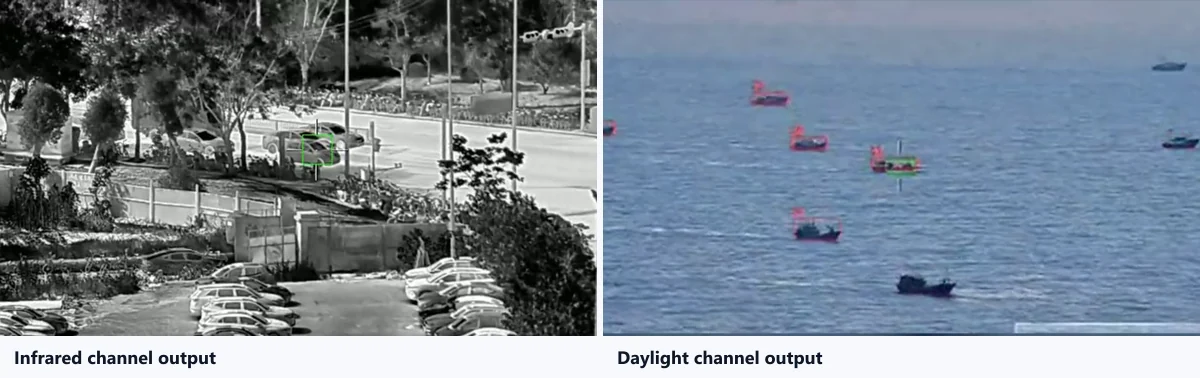
- The object’s appearance changes with lighting, or with the switch between visible and thermal channels.
- The image is blurred by motion, or softened by video compression.
Advanced trackers handle some of these some of the time. The only way to know which ones, for your scenes, is to test, which is the subject of the next two sections.
Writing a specification a supplier can answer
Most AI payload enquiries fail at the first line, because “we need AI detection and tracking” describes a family of products, not a requirement. Here’s what to put in the document instead, and why each item is there.
Supported functions and object classes
The first question is not whether the payload has AI. It is which of the five functions it performs, and on which classes. Group detection, vehicle detection and vessel detection are different products with different training behind them, and a model that works on one may have no idea what to do with the other.
Write the answer into the specification as a list, not a sentence. Then add the part suppliers leave out: what happens to objects that aren’t in the list. An unknown class should produce nothing, and a specification should say so.
Where the processing happens, and what it is running on
Ask for the processing location, the module used, the memory available, and whether the model runs accelerated. These details matter less for their own sake than for what they imply: an inference rate quoted without them can’t be compared with a competing quotation, and a memory figure tells you whether a custom model is even plausible.
The payload’s mass, dimensions and power budget belong in the same part of the document. Adding compute to a stabilised head costs weight and heat, and a head that exceeds your remaining payload margin or your cooling assumptions is not a candidate no matter how good the model is.
Input resolution and actual frame rate
A 4K camera and a 4K model aren’t the same thing. Detectors almost always run on a resized frame, and the number that decides how much detail the model sees is the input resolution, not the sensor’s native one. Ask for both, in writing.
The same applies to frame rate. A payload can output video at 60 frames per second and run inference at a fraction of that. What matters for an operator holding a track is the rate at which the tracker updates, not the rate at which the encoder runs, and those are two different figures on the same datasheet.
Latency, and where it is measured
Latency is the time between something appearing in front of the camera and the corresponding output becoming available to a person or a system. That chain includes exposure, image processing, inference, tracking, encoding, transmission and display, and a supplier quoting a single number is describing some subset of it.
So ask which segments the figure covers, and on which stream it was measured – the camera’s native output or a downlinked and decoded one. Without that context, two latency figures can’t be usefully compared, and neither can be checked against your own requirement.
A specification is only useful if it can be failed. “AI detection and tracking” can’t be tested. “Detects and classifies vehicles, vessels and persons on the visible channel, produces a track identifier per object, sustains a track for a minimum of 60 seconds on a moving target, and states the number of simultaneous tracks” can be. If you can’t write a test that the supplier could fail, the requirement isn’t finished yet.
How to evaluate AI tracking performance
Detection accuracy is not one number
When a supplier tells you their model is accurate, they are usually quoting something that was measured in a way you can’t inspect. Replace it with four measurements that can be:
- Precision – of the detections reported, how many were real.
- Recall – of the objects that were there, how many were found.
- False-positive rate – how often something that was not a target was reported as one.
- Inference latency – the processing time, under stated conditions.
Each of those needs the test set, the operating conditions and the evaluation criteria attached to it. An isolated claim of “99 percent accuracy” isn’t a specification, because no accuracy number means anything without the data it was computed on.
Tracking needs its own measurements
Detection and tracking fail differently, so they are measured differently. For tracking, the useful quantities are how long the payload keeps the right object, how many times the track breaks and for how long, how often an identity gets handed to the wrong object, and what happens after a temporary obstruction.
A payload can score well on detection and still be unusable for a tracking mission. That combination is common enough that it’s worth testing separately rather than inferring one from the other.
| What to measure | Why it decides the project |
|---|---|
| Detection precision and recall | Separates “finds everything, including things that are not there” from a usable detector |
| Supported classes, and unknown-class behaviour | Decides whether the payload can do your scene at all |
| Track continuity and interruption count | An operator cannot watch an object through repeated drop-outs |
| Identity switches | The failure that erodes trust fastest, and the one least likely to appear in a demo |
| Reacquisition after occlusion | Decides whether a mast, a tree or a passing vehicle ends the observation |
| Update rate under load | Tells you whether the tenth simultaneous track costs you the first nine |
| End-to-end latency | Decides whether the output can drive a control loop or only a display |
Test against your scenes, not theirs
The most useful evaluation footage is footage from the application you are buying for: your equipment, your camera angles, your lighting, your weather. A demonstration recorded in ideal conditions on a scene chosen by the manufacturer establishes that the model can work somewhere, which isn’t the question you’re asking.
There is a published framework for doing this properly. The NIST AI Risk Management Framework’s measure function sets out documenting evaluation methods, test sets, performance limits and the conditions under which the system fails [4]. You don’t need to adopt the framework wholesale; the discipline of writing down what you tested and what happened is the part that transfers.
The demonstration pack worth asking for
Before shortlisting anyone, request all of the following. A supplier who can provide them is a different kind of supplier from one who cannot:
- Original unedited video, not a re-encoded showreel.
- The payload model and the firmware or model version.
- The list of supported classes, and the input resolution inference actually runs at.
- The processing location and the measured latency, with the segments it covers.
- Footage of a track surviving an obstruction, and of reacquisition afterwards.
- The test conditions and the evaluation method used to produce any accuracy figure.
Recorded evidence narrows the field. It doesn’t replace a sample evaluation on your own aircraft, which is the only test that measures your system, and which belongs at the end of the process rather than the beginning.
The parts of evaluation nobody puts in a datasheet
AI-enabled cameras record images of people, vehicles and property, and projects that skip the legal conversation tend to have it later, at greater cost. Data minimisation, secure storage, access limits, retention periods and the local rules that apply to your operating area all belong in the project plan, not the appendix.
The European Data Protection Board’s guidance on processing personal data through video devices is a reasonable starting point for the questions to ask [5]. Alongside it, decide where human review sits: an automated indication that nobody checks is a liability, not a feature, particularly when an error would affect a person’s safety or rights.
What AI tracking is genuinely good for
AI earns its place when it removes a tedious, repeatable step from a workflow that already exists. It rarely earns its place as the feature that makes a project possible in the first place. Four patterns are worth knowing, and they share one property: the automated output feeds a human judgement rather than replacing it.
Infrastructure and equipment monitoring
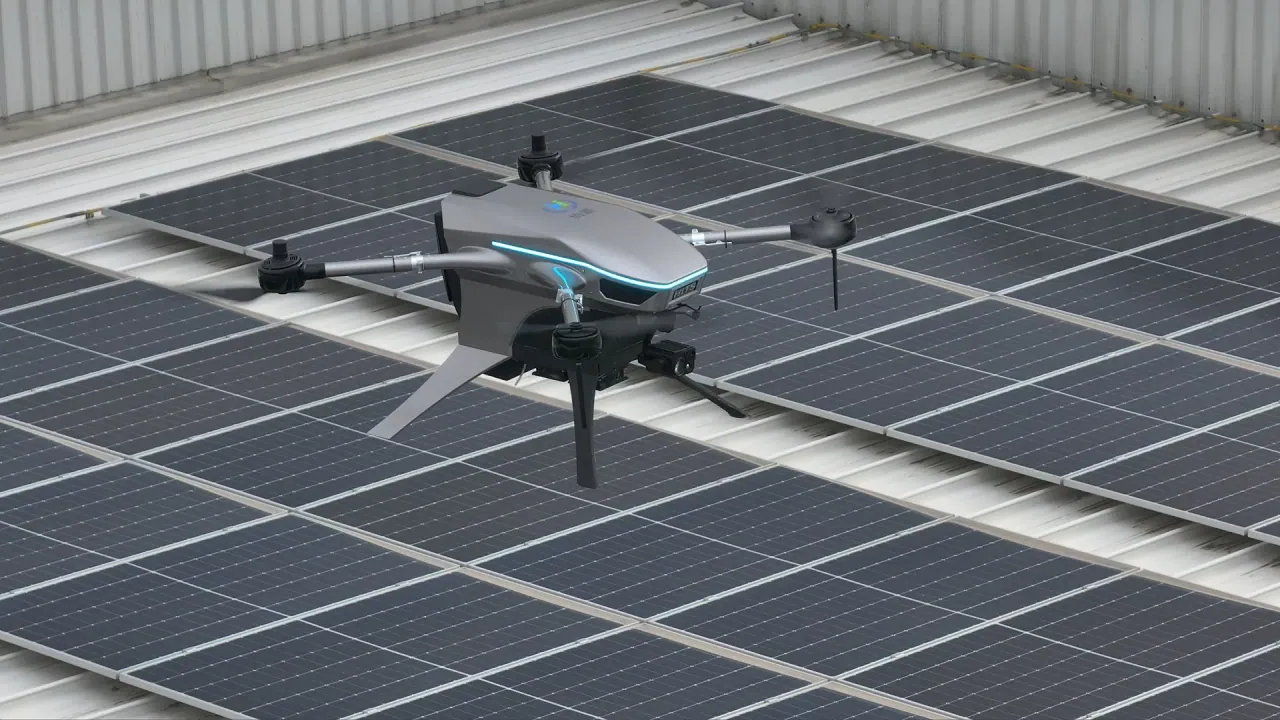
The strongest fit is repeat survey work over the same assets: organising imagery, locating known equipment types, and making the record comparable between visits. If the same structure is photographed four times a year, an automated pass that files and tags the imagery saves real time.
What it doesn’t do is diagnose. Equipment recognition is not defect detection, and the difference between “this frame contains an insulator” and “this insulator is cracked” is a different problem with a different training set. Anyone offering one as the other is worth a second look.
Environmental and maritime observation
Counting, classifying and logging visible targets over water or across a large site suits automated analysis well, because the targets are similar to each other, the background is comparatively uniform, and the deliverable is a record rather than a decision. The limits are the same as elsewhere: it depends on the camera conditions, the training data and the permissions that apply to the survey.
Supporting a search, without replacing the search
AI is genuinely useful when the problem is volume: an operator reviewing hours of imagery, or watching several feeds. Highlighting something worth a second look is a reasonable thing to automate. Treating the highlight as an answer is not, and any indication that could affect a person’s safety should be verified by a human before it drives an action.
Making repeated inspections comparable
The quiet win is consistency. Automated categorisation applied identically across sessions makes two inspections more comparable than two tired operators doing it by hand. If the deliverable is a trend over time, that consistency may matter more than the accuracy of any individual detection.
Integrating an AI payload into your airframe
The mechanical and electrical part is still the mechanical part
AI capability doesn’t change what has to fit on the aircraft. Mass, dimensions, mounting pattern, power budget and cooling all still apply, and a payload with a processor generates more heat than one without. The integration questions that decide whether a head goes on an airframe are the same ones they were before AI appeared, and they come first. Our own gimbal camera integration guide walks through mounting, power, control and video in the order an integrator usually hits them.
Interfaces, protocols and what they do not prove
Ask for the interface list in engineering terms: Ethernet, serial, and which flight-controller protocols are supported. PX4 documents several gimbal control methods, including MAVLink-based interfaces [6], and MAVLink’s gimbal and camera protocols define the message framework [2][3]. Those documents tell you what a compliant system looks like. They do not tell you that a specific camera supports a specific function, because that depends on the model, the firmware and the configuration. That’s a question for the supplier, not the specification.
Where the AI output actually goes
This is the integration question most often left until the software team sees the payload, and it’s the one that decides how much work the project really is. There are three common answers:
- Burned into the video – the boxes are part of the image. Easy to display, hard to process, and the metadata is lost the moment the stream is re-encoded.
- Separate metadata – the payload sends detections or track positions alongside the video. Requires a receiving application that knows how to read it, and a defined synchronisation between the two streams.
- An API or SDK – the integrator reads the results directly and decides what to do with them. The most flexible option, and the one that needs the most clarity about what is supported.
Whichever it is, ask for the documentation that describes it, not the marketing page that mentions it. If the answer is “our ground station displays it”, find out what that means for your ground station.
Custom models, SDKs and honest boundaries
An SDK lets an OEM integrate supported camera functions into their own software. It doesn’t automatically follow that custom AI models can be loaded, retrained or replaced, and those are three different permissions with three different engineering costs.
Ask which of the following is true, and get it in writing: the model is fixed; the model is fixed but the classes and thresholds are configurable; additional classes can be added by the manufacturer; or the customer can deploy their own model. The gap between the first and the last is a development project, and it belongs in the schedule rather than in the assumption.
Firmware, versions and the support that goes with them
AI behaviour can change when firmware, model or camera software changes, sometimes for the better and occasionally not. A supplier should be able to explain the version policy, how updates are applied, what compatibility is guaranteed, and who answers the phone when a model behaves differently after an update. For a payload that will be in service for years, that is part of the product.
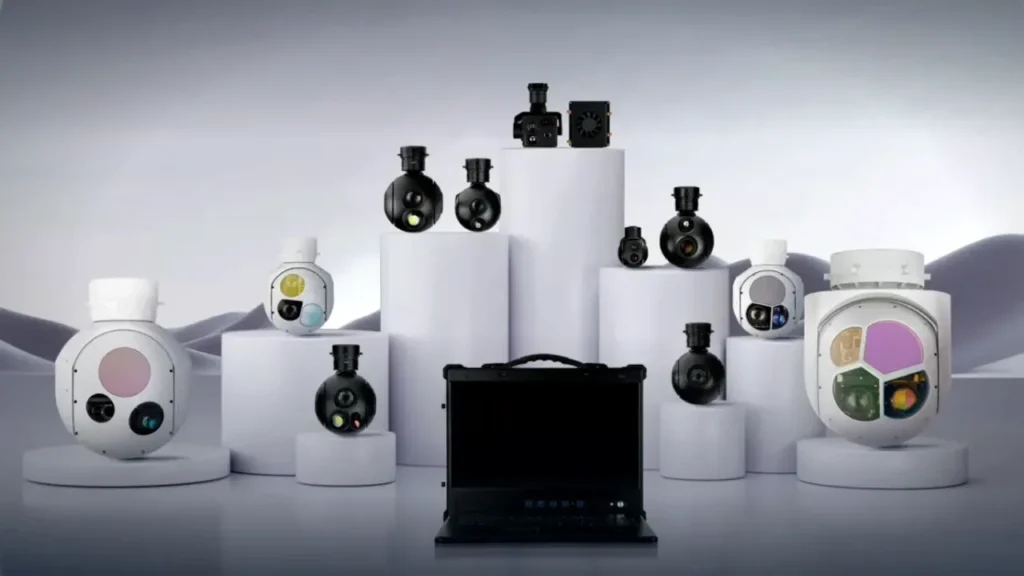
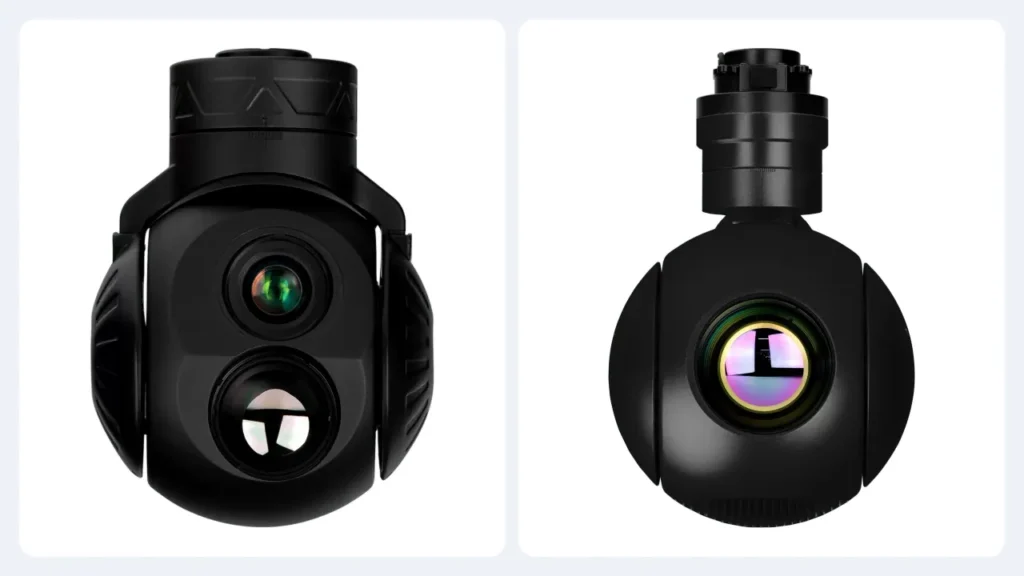
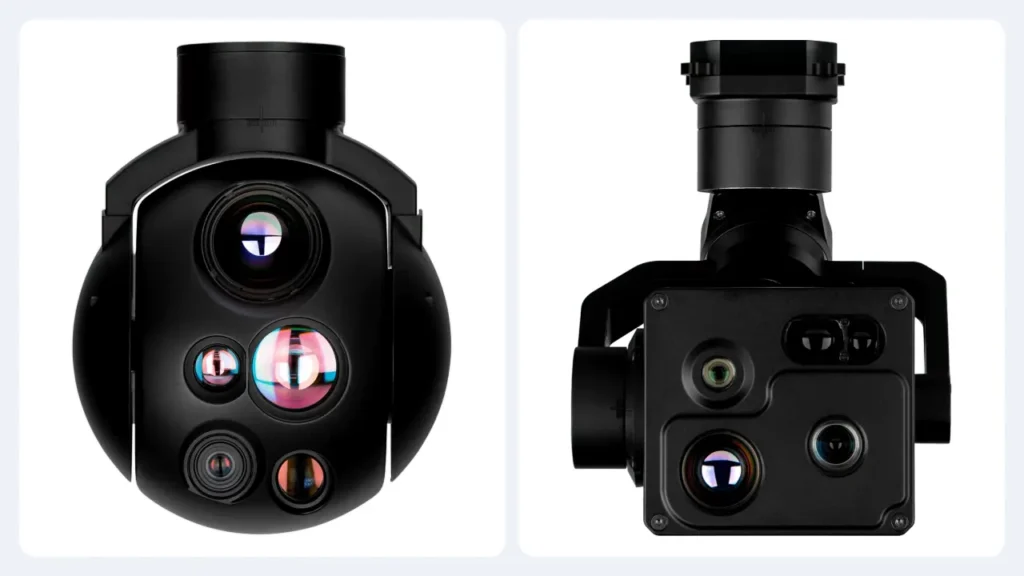
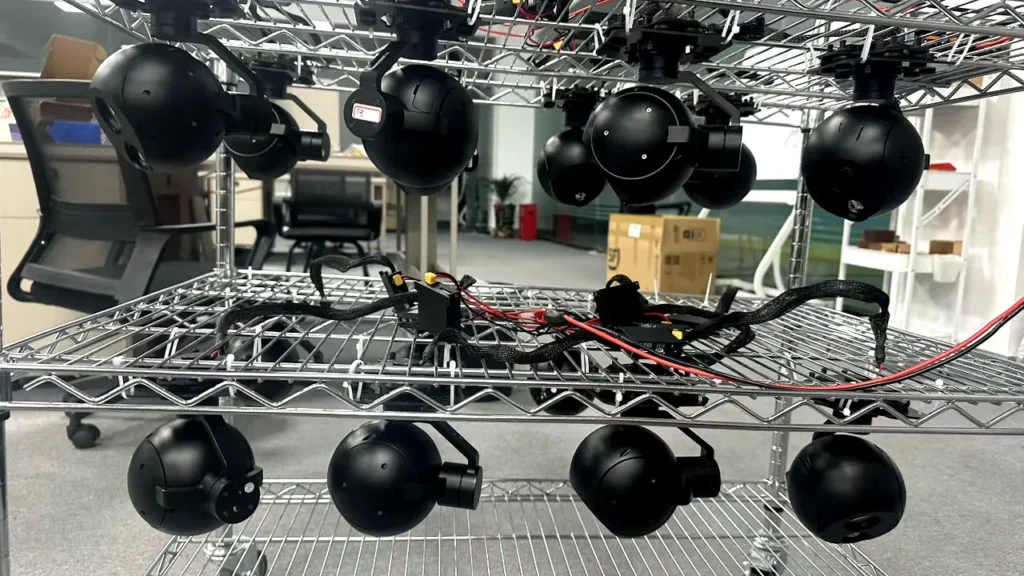
HITS publishes onboard AI detection and tracking on selected HQ-series EO/IR payloads, and the same tracking module, control protocol and video pipeline are shared across the family – which is why qualifying one configuration in a programme tends to qualify the others [7]. The models and the current feature list should still be confirmed against up-to-date documentation for the specific configuration before an order, because that is the version you will receive. The three-axis heads – where most of the tracking capability sits – are collected under three-axis gimbal cameras, and each configuration has its own model page.
Supplier evaluation checklist
One table, one enquiry. Send the same version to every supplier and compare the answers side by side. The differences tell you more than any individual response will.
| What to evaluate | What to request from the supplier |
|---|---|
| AI functions | A feature list naming detection, classification, recognition and tracking separately instead of the phrase “AI tracking” |
| Supported classes | The model-specific object or equipment classes, and what happens to anything outside that list |
| Performance | Precision, recall, track continuity and the test conditions behind each figure |
| Latency | Inference and end-to-end delay, with the pipeline segments each figure covers |
| Computing | Where the processing runs, on which module, and what can be changed after delivery |
| Imaging | EO/IR configuration, native resolution, the resolution inference actually uses, and the tracker update rate |
| Integration | Interfaces, protocol documentation, how AI results leave the payload, and SDK availability |
| Validation | Original sample footage, a test report, and the demonstration method used |
| Lifecycle | Firmware and model update policy, compatibility guarantees, maintenance and technical support |
A supplier who answers all nine isn’t automatically the right supplier. A supplier who answers none of them, and offers a video instead, has told you something useful about how the programme will go.
Frequently asked questions
What is the difference between AI detection and AI tracking?
Detection finds objects in a frame and reports where they are. Tracking maintains the identity of one specific object across many frames, so the thing being followed at the end of the sequence is the same thing that was picked up at the beginning. A payload that detects reliably may still lose a track whenever the object is briefly hidden, and the two capabilities are usually measured with completely different tests.
Do AI gimbal cameras need an internet connection?
Not necessarily. A payload that runs inference onboard produces its results locally and keeps producing them when the data link is weak, which is the usual reason for choosing that architecture. A system that processes video in a ground station depends on the link being up. A cloud-based system depends on the link and the network. The requirement follows from where the compute sits, not from the presence of AI.
Can AI tracking work on thermal imagery?
Yes, provided the model was built or trained for it. Thermal images look nothing like visible-light images, and a model that performs well on one shouldn’t be assumed to perform equally on the other. The supported channel and the training data behind each model should be confirmed with the manufacturer rather than inferred from a general claim of thermal compatibility.
Can the AI functions be customised to our application?
Sometimes, and it’s worth pinning down early because it drives the schedule. Configuration of thresholds and classes is one thing. Adding classes, retraining the model, or deploying your own model on the payload are three progressively larger engineering projects, each with its own data requirements, testing burden and commercial terms. Confirm which of those your supplier can actually do before the requirement is written into a contract.
What to take away
“AI tracking” is a family of four related but separate capabilities, and the phrase on its own tells you almost nothing about which ones you are buying. The first job is to separate them in your own requirement, because detection, classification, recognition and tracking fail in different ways and are established by different tests.
The second is to find out where the inference runs, because that single answer decides what your latency figure means, what survives a weak data link, and whether you can change the model after delivery. It is also, in our experience, the question suppliers are least often asked and most often able to answer precisely.
The third is to insist on evidence with conditions attached: original footage, a named model, a stated resolution, a measured delay, and a description of what happens when the track breaks. Any supplier who can produce that is worth a sample evaluation on your aircraft. Any supplier who cannot is asking you to take the risk instead of them.
The right AI payload isn’t the one with the largest feature list. It’s the one whose behaviour you’ve already seen under your own conditions, before you signed.
References and technical sources
- [1] NVIDIA – DeepStream Gst-nvtracker documentation. Object tracking, detection association, track identifiers, occlusion handling and alternative tracking methods.
- [2] MAVLink – Gimbal protocol v2. Gimbal orientation, the gimbal manager and device roles, and control sources.
- [3] MAVLink – Camera protocol v2. Camera capabilities, discovery, video functions and camera-control interfaces.
- [4] NIST – AI Risk Management Framework: measure function. Evaluation methods, performance metrics, testing and documentation.
- [5] European Data Protection Board – Guidelines 3/2019 on processing personal data through video devices. Privacy questions that apply to video-based data processing.
- [6] PX4 – Gimbal configuration. Flight-controller side of gimbal communication and MAVLink-based control.
- [7] HITS – HQ-100D three-axis EO/IR gimbal camera. Manufacturer-published configuration information for a head listing onboard AI detection and tracking.
Technical note: HITS product information is manufacturer-published specification, not independently verified AI performance data. Detection accuracy, supported object classes, inference latency, tracking reliability, firmware compatibility and customisation scope vary by model and firmware version, and must be confirmed against current documentation and application-specific testing. Nothing in this article should be read as a promise of recognition distance, classification accuracy or tracking continuity in any particular condition.
Request an AI gimbal camera demonstration and integration consultation
Tell us the objects you need to follow, the channel you’ll be watching, and what the output has to feed. We’ll send the current model list with the AI functions each configuration actually supports, original sample footage, and a straight answer about what can be customised, including if the answer is no.
Related reading: AI camera tracking covers how the detection and lock-on loop is built on the payload; onboard AI or cloud AI goes deeper into where the compute belongs; the integration guide covers mounting, power, control and video; how to choose an industrial UAV gimbal camera puts the payload decision in order; and EO vs IR vs EO/IR settles which channel your model will actually be looking at.