EO, IR or EO/IR? Almost every payload enquiry opens with that question, and it’s usually the wrong one to open with. The three terms describe what a camera can see. They say nothing about what your aircraft has to do on a Tuesday in February.
Here’s the short version. An EO channel answers “what does this thing look like”. A thermal channel answers “where is the heat contrast”. The slash in EO/IR is a promise about packaging: two channels sharing one stabilised head. It isn’t a promise that the payload is better at everything.
That distinction matters, because a dual-sensor head costs more, weighs more and asks more of your airframe. If the mission only ever flies in daylight and only ever needs a photograph of a cracked blade, the thermal channel is weight you pay for on every single flight. If the mission runs at night, or the thing you care about is a hot transformer behind a fence, the thermal channel is the whole point. The EO channel is the supporting evidence.
So this guide walks through the three configurations in the order that actually helps you decide: what each channel physically does, where each one stops, what the combination really buys, and which numbers are worth arguing about with a supplier.
What EO, IR and EO/IR actually mean
EO: the visible-light channel
EO stands for electro-optical, which is a formal way of saying “a camera that sees roughly what your eye sees”. In an industrial UAV payload, the EO channel is a lens, a sensor, and usually optical zoom, autofocus and electronic stabilisation behind them.
Because it works with reflected light, it reproduces texture, shape and colour: thread on a bolt, a crack running along a weld, paint peeling off a tower leg, a registration plate on a vehicle. Those are the details an inspector writes into a report.
IR: shorthand for a whole family of sensors
Infrared covers a very wide stretch of the spectrum, from near-infrared through mid-wave to long-wave infrared. Different bands need different detectors, optics and cooling, and they answer different questions.
In UAV payload catalogues, “IR” almost always means thermal long-wave infrared, the band that images heat rather than reflected light. That’s the meaning used in this article.
One practical consequence: a camera described as “IR” isn’t automatically able to measure temperature. Imaging heat and measuring temperature are two different capabilities, and the section below explains why that trips people up.
EO/IR: two channels, one stabilised head
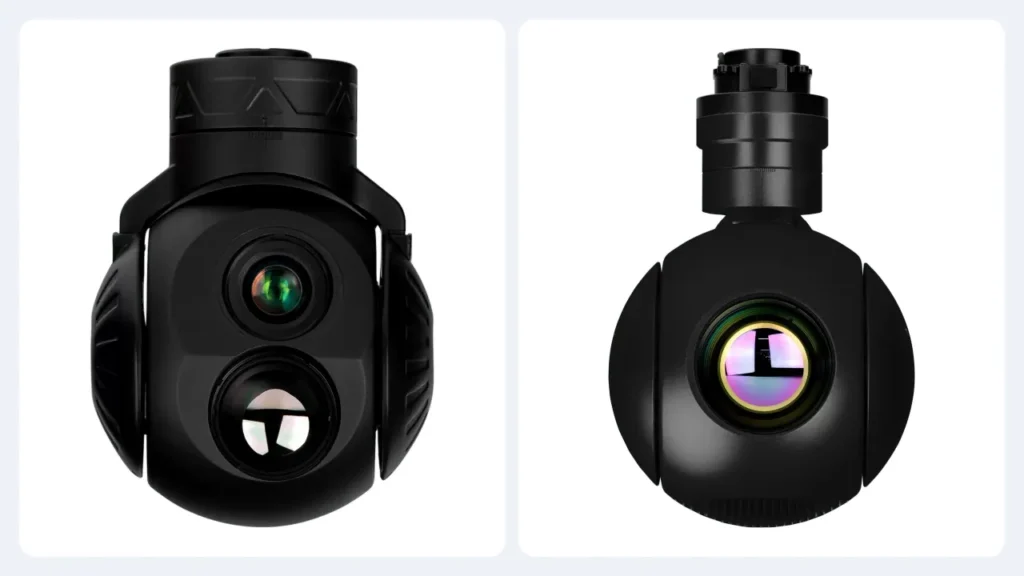
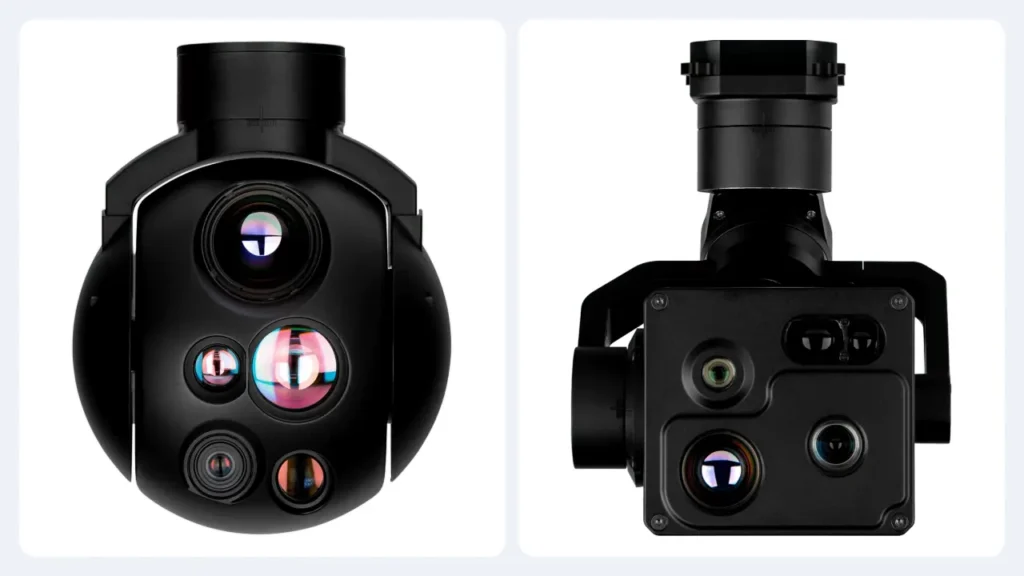
A dual-sensor EO/IR payload puts a visible channel and a thermal channel into the same gimbal. Both look at the same patch of ground, and both are stabilised by the same motors. The operator switches between the two feeds, or views them together.
The alternative, two separate payloads or two flights, is workable but expensive in time and airframe capacity. The integrated version exists because inspection teams kept flying the same route twice.
The short version
- EO only buys the most visible detail per gram. It needs light to work with.
- Thermal only buys heat contrast in any lighting, and often the best thermal resolution in a range, because the whole payload budget goes to one sensor.
- EO/IR buys both channels on the same line of sight. You pay in cost, weight and integration work.
- Not on the list: temperature measurement, AI tracking and laser ranging. Those are separate capabilities that some models add, and none of them are included by default just because a payload has a thermal window.
How an EO channel earns its place
Visible detail and what optical zoom is for
An EO channel resolves shape, texture and colour at a level a thermal channel can’t match. That’s why it still does most of the work in a daylight inspection: you can see whether a bolt is missing, whether a seal is torn, whether the paint damage is surface rust or something deeper.
Optical zoom is what turns a wide search view into a narrow identification view without moving the aircraft. The lens changes its effective focal length, so the operator can sweep an area at 4x and then push to 30x or 40x to read what the wide view turned up. Digital enlargement is not a substitute. It magnifies pixels that were already there.
The useful number here isn’t the zoom ratio on the brochure. It’s the actual focal length range and the sensor behind it, because 30x on one payload and 30x on another can put very different amounts of detail on the same target.
Where EO stops
As soon as the light goes, the visible channel goes with it. There’s no honest way around that: without illumination, an EO image is either black, noisy, or brightly smeared by whatever light the aircraft is carrying.
The second limit is less obvious. An EO camera can’t tell you that a component is hot. It can show you discolouration, heat staining or a plume, and an experienced inspector can infer a lot from that, but it’s inference, not a measurement of thermal contrast.
That’s the honest reason to consider a second channel. Not because two sensors are better than one, but because the mission asks two different questions.
What a thermal channel really sees
Heat contrast, not light
A thermal detector forms an image from the infrared energy arriving at the lens. It needs no visible illumination at all. That’s why it’s the natural choice for night work, and why it keeps working through smoke and light haze that would visibly obscure a camera.
What it doesn’t do is see through everything. Walls stop it. Dense vegetation, heavy rain and thick fog degrade it, and the effect grows with distance and humidity [1][5]. Modern long-wave sensors still outperform the folklore here, but a brief claiming otherwise should be treated with suspicion.
It’s also worth saying plainly: a thermal image is a picture of contrast, not a picture of temperature. A pixel that looks red is a rendering choice made by the display, not a thermometer reading.
Uncooled and cooled detectors
Most compact UAV thermal payloads use uncooled detectors, because they give a workable balance of size, weight, power and price for airborne use. Cooled detectors offer more sensitivity and suit specialised work, at the cost of extra power, complexity, warm-up time and maintenance [2].
For a first industrial UAV programme, an uncooled long-wave payload is normally the sensible place to start. A cooled system is worth the trouble when the mission genuinely needs what it provides.
Resolution, NETD and lens travel together
Thermal resolution is quoted as detector pixels: 640 x 512, or 1280 x 1024 for a higher-resolution detector. Pixel count sets the ceiling on spatial detail, then two other numbers decide what you actually get underneath that ceiling:
- NETD (noise equivalent temperature difference), in millikelvin. Lower means the detector resolves smaller temperature differences, all else being equal. Identical pixel counts can produce noticeably different images once NETD differs [3].
- Lens focal length and field of view. A long lens with a narrow field of view puts more pixels on a distant target, and it also makes stabilisation harder because every shake is magnified too.
Judging a thermal payload on pixel count alone is the same mistake as judging a visible camera on megapixels. The three numbers have to be read as a set.
Detecting something is not the same as measuring it
This is the trap worth flagging to anyone with a temperature-based acceptance criterion in their contract.
A non-radiometric thermal camera shows you that one area is warmer than its surroundings. That’s all. A radiometric camera is calibrated to output temperature-related data, and even then the reading depends on the emissivity of the target, reflected radiation from nearby surfaces, humidity, distance and viewing angle [4][8].
A utility that needs the actual temperature of a connector is buying a measurement instrument. It should ask for the radiometric specification, the calibration basis and the measured accuracy conditions in writing, not for a higher pixel count.
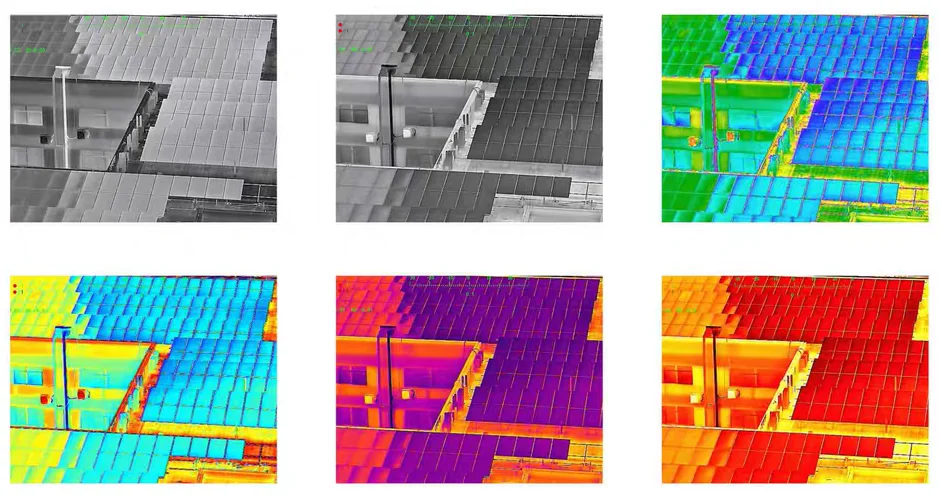
What an EO/IR payload adds, and what it does not
Two channels on the same line of sight
The point of a dual-sensor head isn’t simply two cameras in one box. It’s that both channels are mounted on the same stabilised platform, so they point at the same place. The operator finds something in the thermal view, switches to visible, and sees the same object without hand-flying the aircraft across the scene.
That’s what saves the second flight. On a power line route or a wind farm, re-flying a section because the first pass only produced thermal frames is the expensive part, not the hardware.
Switching, side by side, and fusion
How the two feeds are presented depends on the model and the ground station. Some systems switch between channels on command, some let you view or record both at once, and some offer blended or picture-in-picture views.
None of it’s automatic. Ask which of these functions the specific unit supports, in which firmware build, and what it does to the recording file.
Boresight is the question nobody asks
A dual-sensor is only as useful as its alignment. If the thermal channel is pointing half a degree off the visible channel. At 40x zoom the two views are metres apart on the ground, and the operator keeps chasing the same target on both feeds.
Worth asking a supplier: are the channels boresighted and locked at production, is the alignment checked on a test target, is it recorded in the test report, and does it survive an operational bump?
AI tracking and laser ranging are separate purchases
These two get confused with the sensor configuration, and they shouldn’t be.
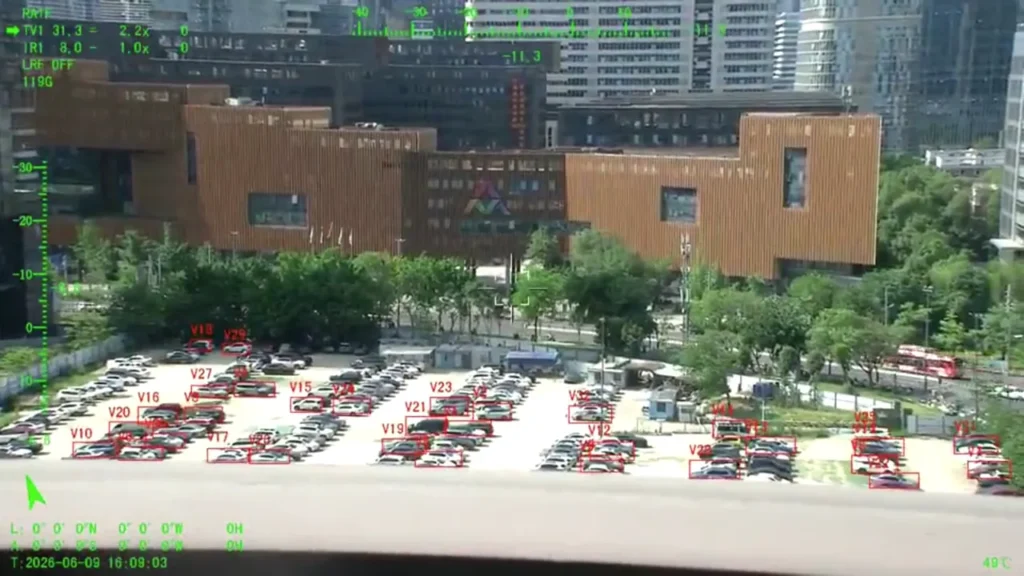
AI tracking is a software and processing function. It depends on what the payload’s processor can run and which ground station is driving it. Whether the detection runs on the payload or sends frames to the ground makes a real difference to link bandwidth.
A laser rangefinder is a separate module that measures distance under specified conditions [1]. Its maximum quoted range doesn’t tell you how well the camera recognises a target at that distance. Those are two different specifications, and conflating them is a good way to buy the wrong payload.
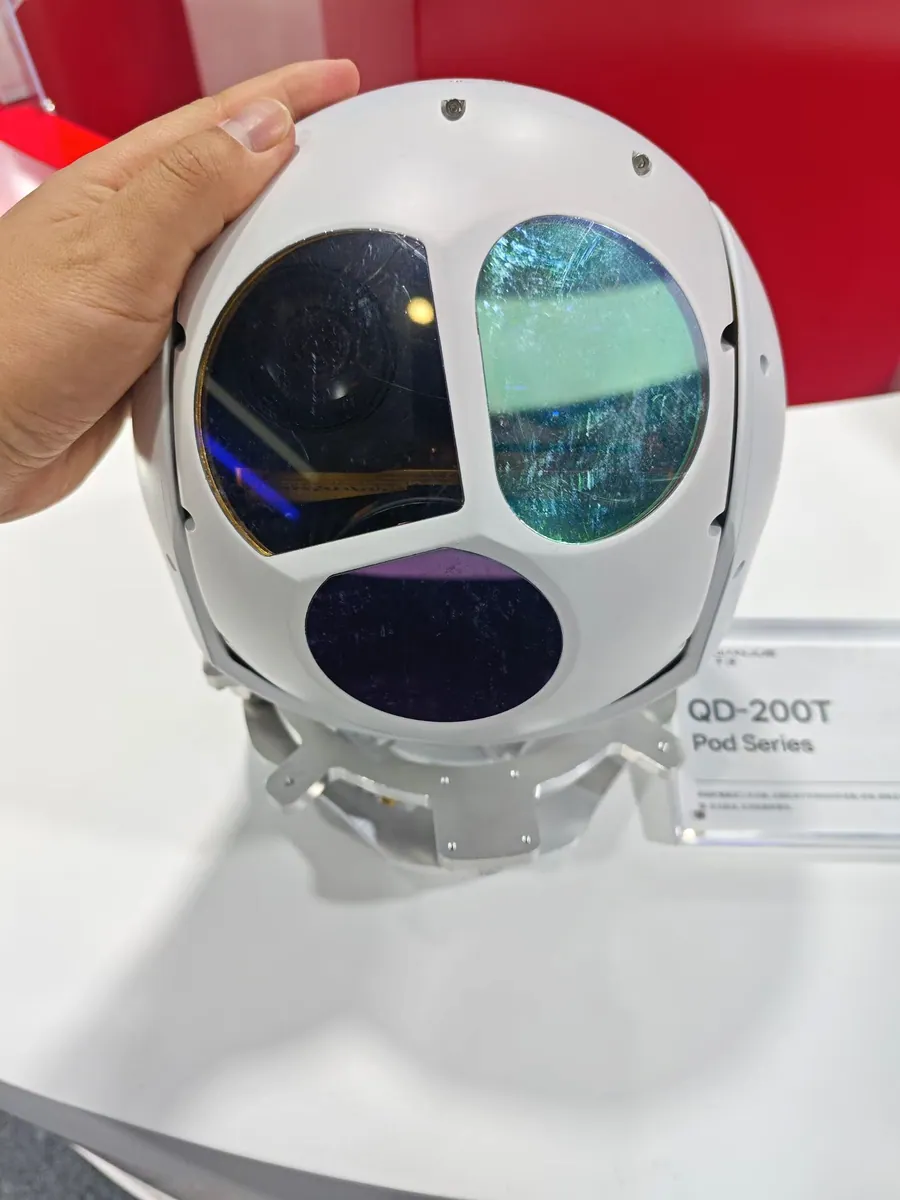
EO vs IR vs EO/IR side by side
The table below is the version worth keeping in front of you during a specification meeting. It compares typical behaviour rather than guaranteed performance, because two payloads built to the same description can differ once the optics and detectors differ.
| Comparison | EO camera | Thermal IR camera | EO/IR camera |
|---|---|---|---|
| Primary imaging | Visible-light detail | Thermal contrast | Visible plus thermal |
| Daylight use | Strong on visual detail | Useful where heat contrast matters | Both types of information |
| Complete darkness | Needs suitable illumination or special low-light sensors | Images without visible light | Thermal channel keeps working |
| Temperature measurement | No | Only with radiometric capability | Depends on the thermal channel |
| Optical zoom | Available on selected models | Depends on the thermal optical design | Depends on each channel |
| Payload complexity | Typically lower | Depends on detector and optics | Typically higher |
| Integration | One imaging channel | One thermal channel | Multiple channels to route |
| Main purchasing value | Visible detail | Thermal information | Complementary information |
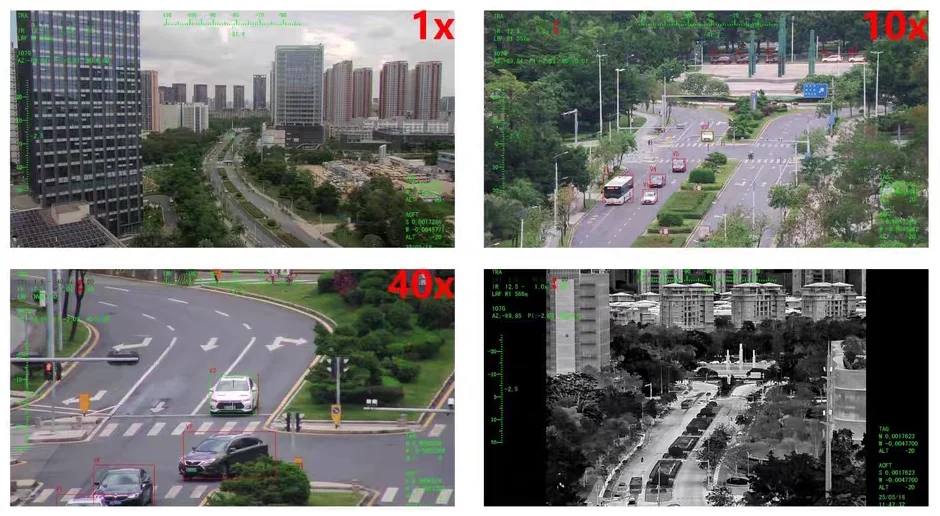
Daylight and darkness
Under good light, an EO channel nearly always wins on detail. Thermal imaging works without any light at all, but darkness on its own guarantees nothing: what matters is the temperature contrast between the target and everything behind it.
A warm vehicle against a cold road is easy. A warm vehicle against a warm road, viewed in heavy rain, is not, and no sensor choice changes the physics.
Detail against contrast
Comparing a 20-megapixel EO camera with a 640 x 512 thermal detector through a single number is meaningless. They measure different physical quantities.
Read them against the mission instead. If the deliverable is a photograph showing the state of a component, the EO number matters. If the deliverable is finding what’s hot, the thermal NETD and the lens matter more than either pixel count.
Weight, power and integration
A dual-sensor payload needs room and power for more optics and more electronics, so it usually sits above the single-sensor version of the same family. How far above depends entirely on the specific pair of products you’re comparing. Modern compact heads have narrowed that gap a lot.
Do the comparison with the actual candidates on your shortlist rather than assuming the rule. The difference that decides an airframe is often tens of grams and a couple of watts, not hundreds.
What it costs
The upfront price of a dual-sensor head is higher. Whether that costs you more overall depends on how the data gets used.
If both channels genuinely feed the report, one integrated payload usually beats swapping gear between flights. If thermal adds nothing the client will pay for, the money is better spent on a better single channel, and quite often on a better lens rather than a second sensor.
Which configuration fits which job
Four application families cover most of the enquiries that arrive with this question. In each one, the useful move is to work out what the deliverable is: a photograph, a thermal finding, or a decision made in real time. Then let that pick the channel.
Power lines and substations
The visible channel documents the defect: a cracked insulator, corrosion on a fitting, a conductor with the wrong sag. The thermal channel finds the joint or connection that’s running hotter than its neighbours.
Where both belong in the report, a dual-sensor head pays for itself. But if the acceptance criteria include a number in degrees, the payload has to be radiometric and the emissivity assumption has to be agreed with the client before the first flight. Thermal resolution alone won’t satisfy an auditor.
Wind turbines and industrial plant
Blade and tower inspection is largely a visible-light job: what you’re looking for is surface damage, leading-edge erosion, lightning-strike marks, water ingress around a seam.
Thermal imaging adds value on the nacelle and the electrical side, and on anything where a temperature pattern is meaningful. It’s worth saying out loud that not every structural defect produces a useful thermal signature. If it did, the whole industry would only fly thermal cameras. The inspection method should pick the payload, not the other way around.
Search and rescue
This is where thermal earns its reputation. A person against cold ground, or a vehicle against a cold sea, produces exactly the kind of contrast a thermal detector is built for, and it works in the dark.
The visible channel still matters for context: what the terrain is, where the tracks lead, what the access point looks like in daylight. Crews that fly both tend to run thermal for the search and visible for the record.
Two honest limits: thermal imaging doesn’t see through walls, and dense vegetation, heavy rain and fog cut the detection range sharply [1][5].
Maritime and environmental monitoring
Over water, the choice usually comes down to what you’re looking at. Vessels and buoys give reasonable thermal contrast; oil sheen, algae and shoreline change are mostly visible-light or multispectral problems.
Humidity and atmospheric path length matter more at sea than inland, and platform movement from swell puts a premium on stabilisation. A three-axis head is the usual answer for survey aircraft working in those conditions.
A starting matrix
Use this as a first pass, then test it against a real flight and a real deliverable.
| Mission requirement | Reasonable starting point | Question to settle first |
|---|---|---|
| Daytime structural photography | EO | Is visible detail on its own enough for the report? |
| Thermal anomaly screening | Thermal IR | Do you need an image, or a calibrated temperature? |
| Combined visual and thermal inspection | EO/IR | Are both channels really needed on the same pass? |
| Lightweight daytime UAV | EO | How much payload budget is left after the battery? |
| Night time search support | Thermal, or EO/IR | What target contrast and what range must be covered? |
| Industrial temperature measurement | Radiometric thermal, or EO/IR with a radiometric channel | Is calibrated temperature data actually available, and at what accuracy? |
Testing an EO/IR payload on an industrial VTOL platform. The two channels are checked on the same targets so the boresight and the switching behaviour can be confirmed before the aircraft goes to site.
Reading the specifications without being misled
EO: focal length first, zoom ratio second
A zoom ratio on its own says very little. What you want is the focal length range, the sensor dimensions and the intended observation distance, because those three decide how many pixels land on the target.
Resolution and frame rate matter next, and they pull in different directions: fine detail for stills, a high enough frame rate for smooth tracking and video analysis. A wide field of view is friendlier for search and easier to stabilise; a narrow one puts more detail on a distant object and demands more from the gimbal.
Thermal: NETD and lens, not just pixels
Thermal resolution gives you the pixel count and the pixel pitch the detector is built from. Add the lens focal length and you get the field of view and the spatial resolution on target. Add NETD and you get an idea of how small a temperature difference survives the electronics [3][6].
Compare NETD figures only from comparable measurement conditions. A number pulled from a different test setup isn’t a comparison.
And if the project needs temperature data rather than pictures, the radiometric specification, the calibration basis, the measurement range, the stated accuracy conditions and the exportable data format all belong in the purchase conversation [4].
The gimbal and interface numbers that decide whether it flies
The sensor is half the payload. Before you commit, work through:
- Two-axis or three-axis stabilisation, and the line-of-sight stability figure you actually need for your longest lens.
- Payload weight and power draw, measured against the airframe’s remaining budget.
- Mechanical mounting pattern and the space the head sweeps through.
- Video output and camera control interfaces, and whether they match your flight controller and ground station.
- Operating temperature range, and what the payload does at the edges of it.
All of that has to come off model-specific documentation, not a family datasheet. If you want the detail on how these interfaces are wired and tested, the integration guide covers it step by step.
Choosing a supplier, not just a sensor
Once you know which configuration you want, the harder question is who builds it. Sensor specification sheets are easy to write and hard to verify. The following checks separate the suppliers who can support an industrial programme from the ones who can only ship a box.
Ask for sample images with the conditions attached
Original EO and thermal stills, from the payload you’re considering, with the lens, distance and conditions noted. Then flight footage of the same scene. A manufacturer who has done real work will have this material to hand; one who has only ever assembled demo units will send you the same three images everyone else gets.
Verify the sensor map, not the marketing name
“Thermal capable” tells you nothing about radiometry. “AI enabled” tells you nothing about where the processing runs. A straight question, covering which sensor, which lens, which interface, which functions and which firmware build, is the fastest way to find out whether the supplier knows their own product.
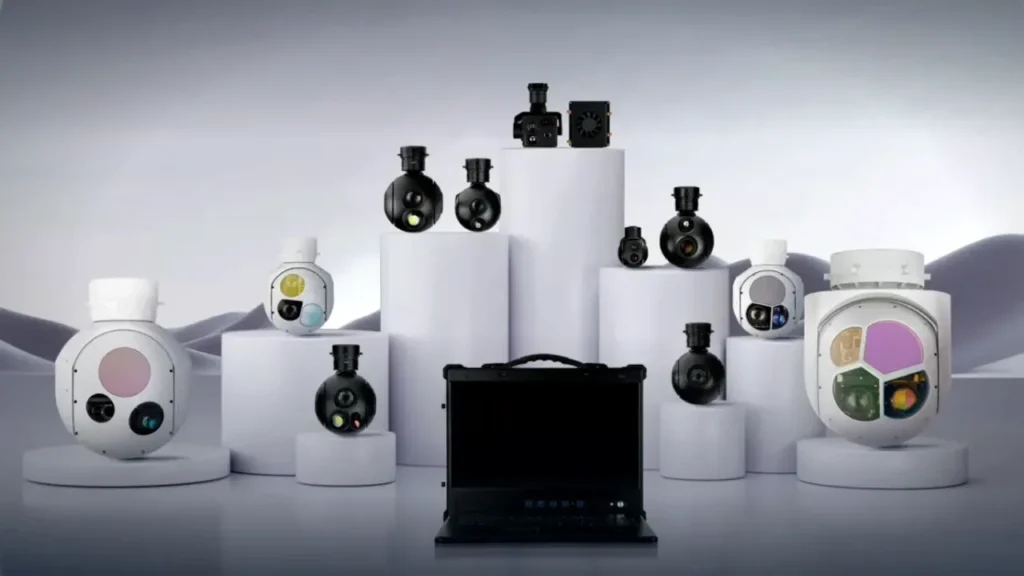
As an illustration of how much the configuration changes the answer, these four models from the HITS range cover visible-only, thermal-only and dual-sensor, at two very different weight classes:
| HITS model | Sensor configuration | Published weight | Reasonable starting point |
|---|---|---|---|
| HQ-64DB | Dual EO, 2-axis (2688 x 1520, 8.5 mm + 25 mm) | 240 g | Lightweight visible-light imaging |
| HQ-64DA | EO 2688 x 1520 plus 640 x 512 thermal, 2-axis | 260 g | Compact dual-sensor imaging |
| HQ-115D | 30x EO zoom (4.3 – 129 mm) plus 640 x 512 thermal, 3-axis | 1 kg | Zoom and thermal inspection |
| HQ-125S | Thermal only, 1280 x 1024, 50 mm, 3-axis | 1 kg | Higher-resolution thermal imaging |
Source: HITS gimbal cameras. Manufacturer-published specifications, to be reconfirmed against the current datasheet for the exact unit you buy.
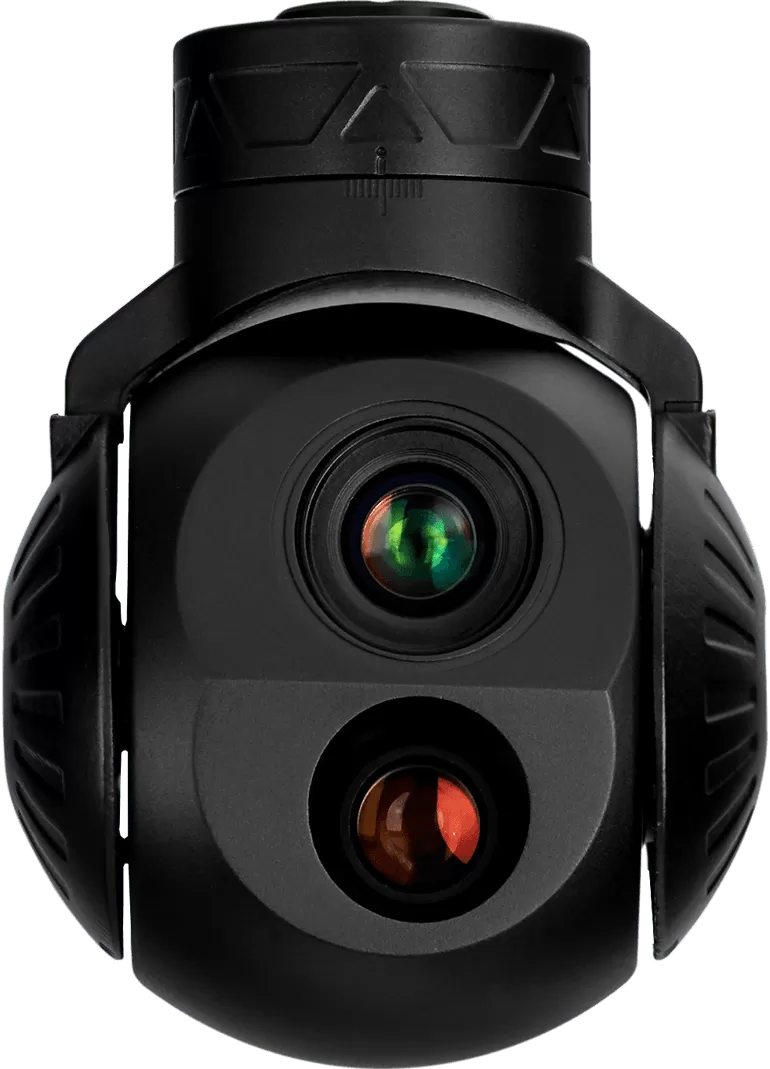
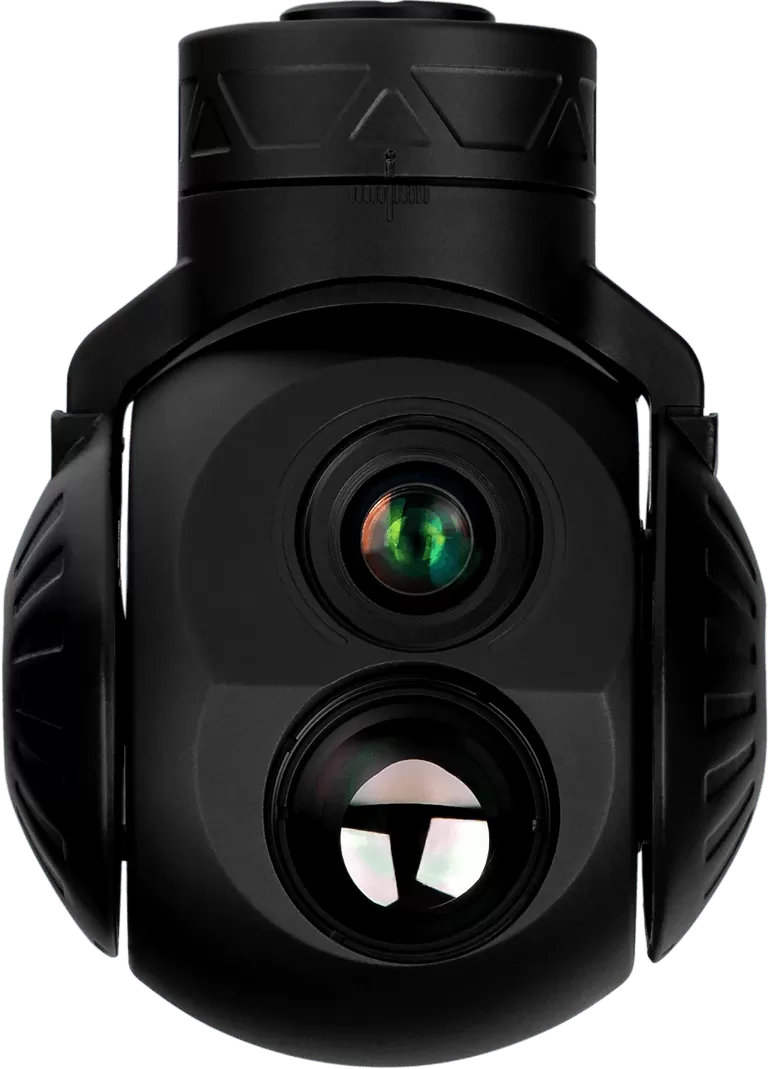
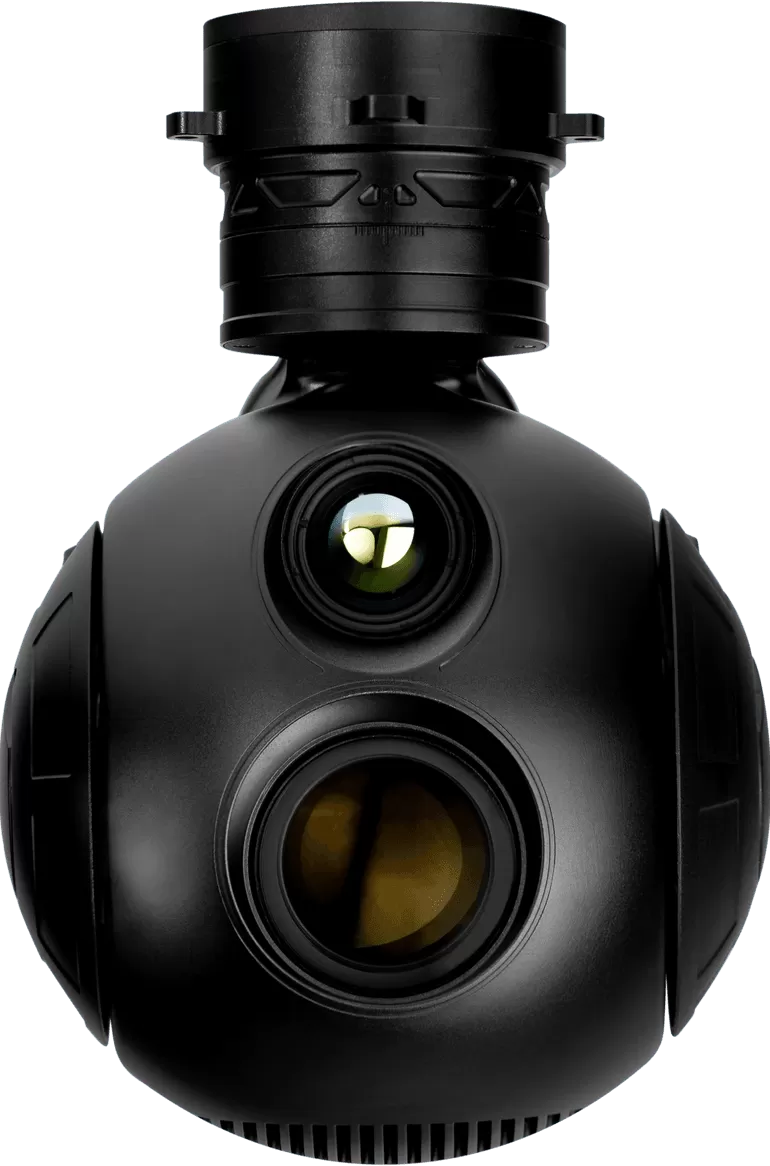
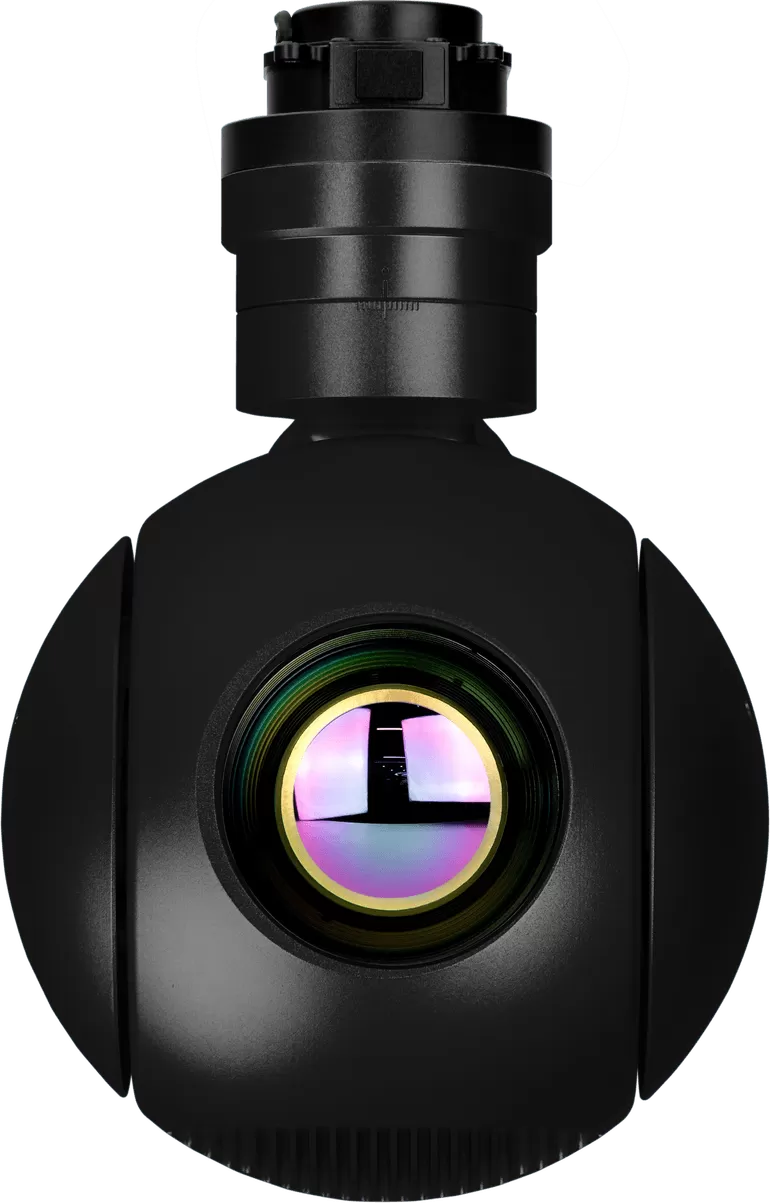
Two useful observations from that table. A dual-sensor head can be genuinely small. The HQ-64DA carries visible and thermal on 260 g. And a thermal-only head can carry the highest thermal resolution in the family, because the whole optics budget went to one detector. Neither configuration is automatically the better buy.
Test before you commit
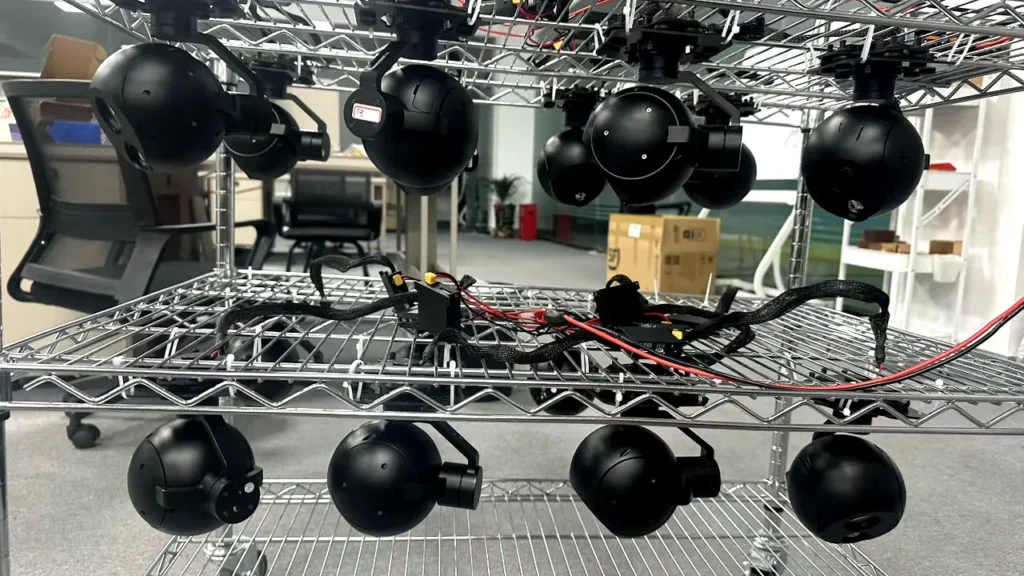
For anything beyond a single unit, ask for a sample evaluation on your own aircraft or a representative rig. The list that matters: image quality on your real targets, mechanical fit and clearance, electrical compatibility, stabilisation in the wind you actually fly in, video output to your ground station, and camera control from your flight controller.
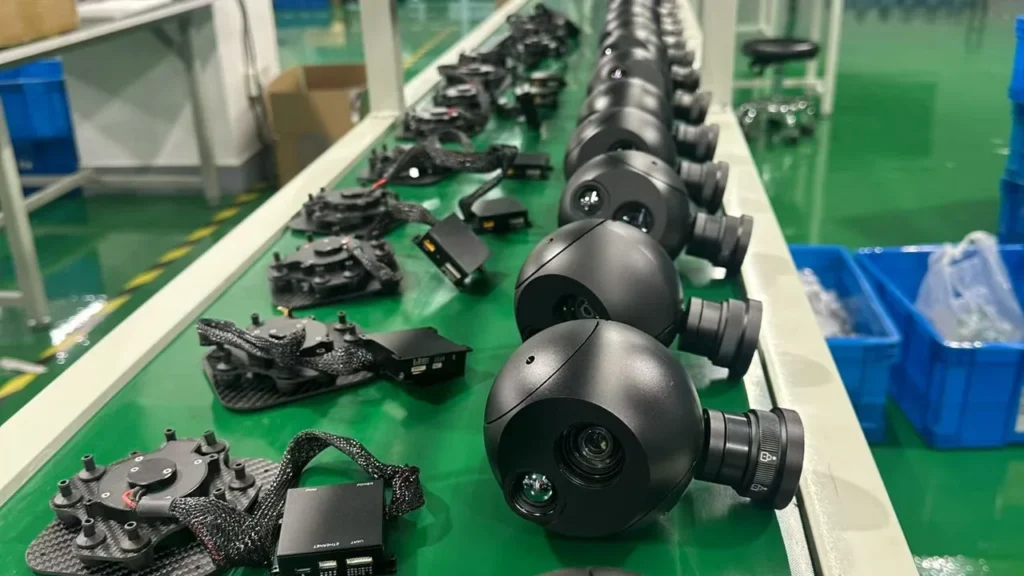
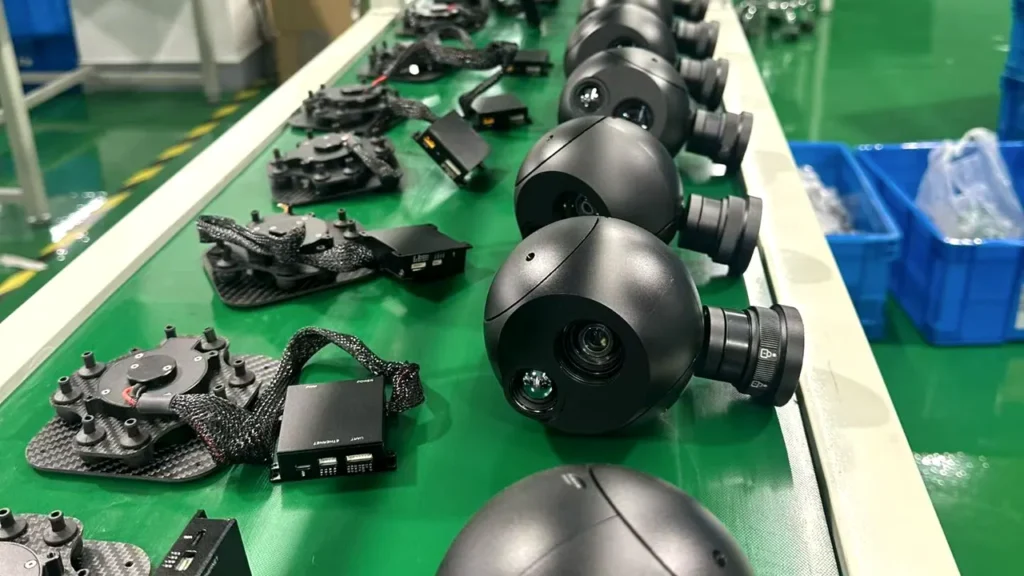
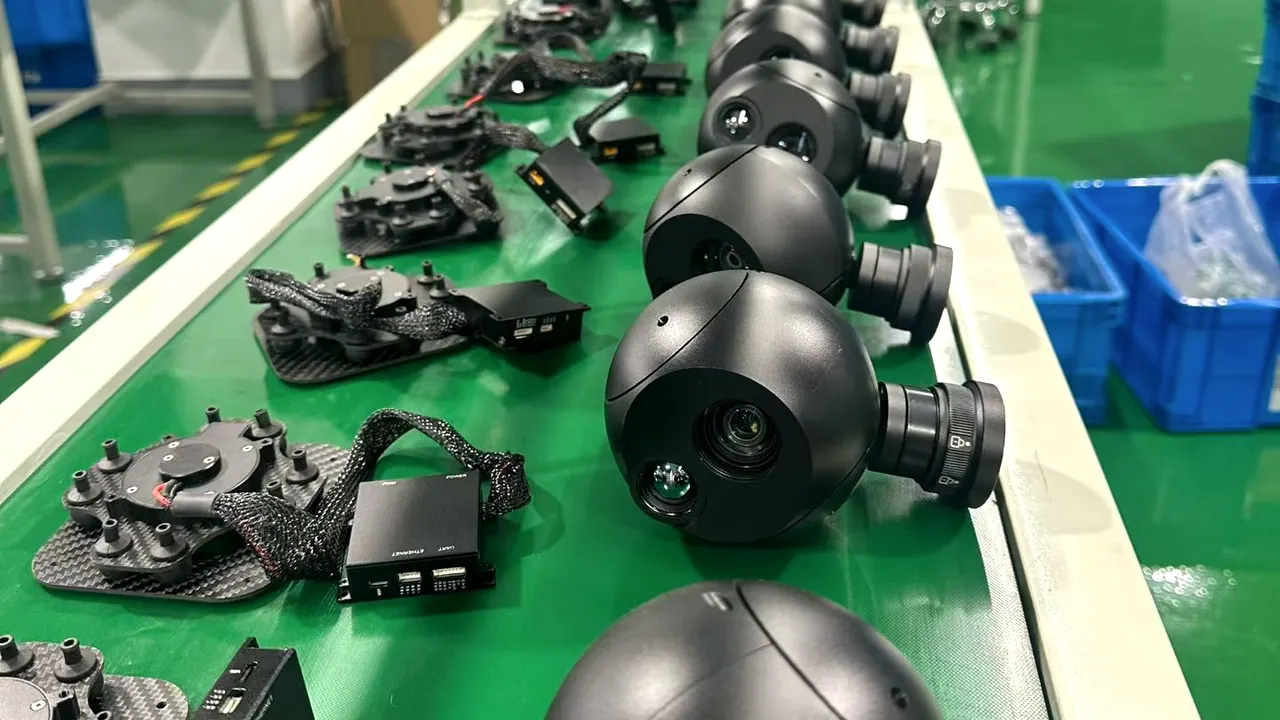
Suppliers who support that process well tend to be the same ones who support it after the invoice. The commercial side of that evaluation, meaning documents, quotations and factory checks, is covered in how to choose a gimbal camera manufacturer.
Frequently asked questions
What’s the difference between an EO and an IR camera?
An EO camera captures reflected visible light through a lens, which is why it reproduces colour, texture and fine detail. An IR camera, which in UAV catalogues is almost always a thermal long-wave detector, forms an image from the infrared energy arriving at the lens, so it shows thermal contrast instead of visual detail. They answer different questions about the same scene.
Can an EO/IR gimbal camera work at night?
Yes, in the sense that the thermal channel needs no visible light at all. The visible channel is a different story: after dark it needs illumination or a specialised low-light sensor, and it won’t perform like the daylight version of the same camera. How well the thermal channel performs at night still depends on target contrast, distance and weather.
Is an EO/IR payload better than an EO-only camera?
Only when the mission genuinely needs both kinds of information. If the work happens in daylight and the deliverable is a visual record, an EO-only payload saves money, weight and integration effort, and that budget is often better spent on a longer lens. A dual-sensor head earns its place when both channels feed the report, or when the aircraft would otherwise have to fly the route twice.
Do all thermal cameras measure temperature?
No. Many thermal cameras produce imagery without calibrated radiometric measurement, which is enough for finding hot spots but not for reporting degrees. If the deliverable includes a temperature figure, ask for the radiometric specification, the calibration basis and the accuracy conditions in writing, and expect those to come from a model-specific document, not a family brochure.
What to take away
Start from the deliverable. If the report needs a photograph, buy the best visible channel your airframe can carry. If it needs to find heat, buy thermal, and buy the lens and NETD rather than the pixel count. If it needs both, on the same pass, buy them integrated.
Then be precise about the words. Thermal resolution isn’t temperature measurement. A laser rangefinder isn’t a camera specification. Compatible with MAVLink isn’t the same claim as compatible with your autopilot, and none of it’s the same as having an SDK.
Genuinely capable EO/IR heads do exist, and some of them are light. What does not exist is one configuration that’s right for every mission. That’s exactly why the useful question isn’t “which is best”, but “which one does this job”.
References and technical sources
The imaging and measurement statements in this article follow the sources below.
- [1] Teledyne FLIR – Can thermal imaging see through fog and rain? Night-time thermal imaging, atmospheric absorption and the effect of humidity.
- [2] Teledyne FLIR OEM – Comparing the sensitivity of thermal imaging cameras and modules. The trade-offs between cooled and uncooled infrared detectors.
- [3] Teledyne FLIR – The importance of thermal sensitivity (NETD) for detection accuracy. Why equal pixel counts can produce different image quality.
- [4] Teledyne FLIR OEM – Choosing the right thermal imager for an integrated project. Radiometric and non-radiometric imaging, and what affects a measurement.
- [5] Teledyne FLIR – Can thermal imaging see through walls? The physical limits of thermal detection, including walls and vegetation.
- [6] Teledyne FLIR OEM – VGA vs SXGA thermal imaging. Detector resolution, pixel pitch, optics and size, weight and power.
- [7] HITS – Gimbal cameras. Manufacturer-published EO, thermal and EO/IR configurations, weights and sensor details.
- [8] Teledyne FLIR – How does emissivity affect thermal imaging? Emissivity, reflections and their influence on temperature measurement.
Technical note: product capabilities, firmware functions, interface support and measurement specifications must be confirmed against current model-specific documentation before purchase. The figures quoted here are manufacturer-published information, not independent laboratory verification, and compatibility statements cover selected models only.
Compare EO, thermal and EO/IR configurations for your application
Send us the mission, the target you have to see, the distance you need to see it at, and the payload budget left on your airframe. We’ll tell you which configurations fit, which ones don’t, and what to confirm before you order.
Related reading: the gimbal camera heads and the EO, thermal and EO/IR payload pages, plus the wider UAV infrared camera list. If you’re still working out the payload as a whole rather than the sensor, start with how to choose an industrial UAV gimbal camera. Once the camera is chosen, the integration guide covers mounting, power, control and video testing, and the factory and quality control pages show how units are built and checked. General engineering background is on the technology page.